PHP2Shell: The patch is out – just not for your camera, router or NAS
 Dennis Knake
Posted On 2nd November 2026
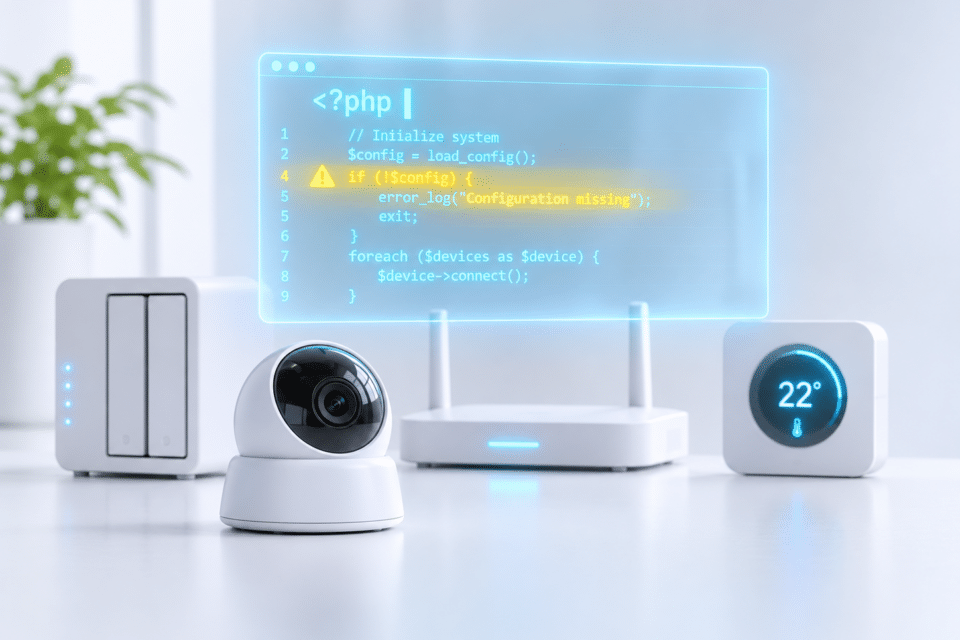
The critical PHP vulnerability PHP2Shell affects not only websites but also network storage, cameras, routers and building controls. In these devices, PHP is part of the firmware, so the manufacturer has to deliver the update. Not all of them have done so yet.
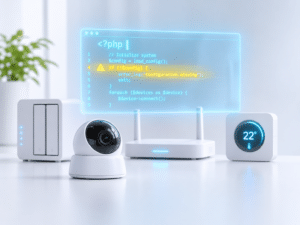
- PHP2Shell affects any device whose web interface runs on PHP, such as network-attached storage (NAS), video recorders, routers and building controls.
- The fix has to come from the manufacturer. At the end of October, only some of the affected products had been fixed.
- Until the update arrives, the web interface must not be reachable from the internet, and remote access should run only via VPN.
Why does PHP2Shell affect more than websites?
PHP is a scripting language for web applications. It powers WordPress sites, but also the user interfaces of many devices. The PHP project closed both vulnerabilities on October 21. A website operator installs this update themselves. In a device, however, PHP is part of the firmware, the software built into the hardware. There, the manufacturer has to integrate the fix and ship it. Attackers are already exploiting the flaws, now also on devices. Palo Alto Networks confirms attacks on the management interface of its firewalls when it is reachable from the internet.
Which devices use PHP in their interface?
Any device with a web interface can be affected. According to CSO Online, this includes printers, VPN gateways and operator panels in industrial plants. So far, these groups in particular have been confirmed:
- Network storage: Synology and QNAP have reported affected packages and system versions.
- Cameras and video recorders: for example QNAP’s recording software QVR Surveillance.
- Routers and firewalls: for example NetModule routers from Belden and firewalls from Palo Alto Networks.
- Building technology: for example HVAC and room controllers from Delta Controls.
An analysis by South Korean network security vendor Genians shows how widespread PHP is in devices: one in five vulnerable devices in corporate networks were cameras, video storage and security equipment. Almost half ran PHP 5 or older, which has received no official updates since 2018.
Have all manufacturers patched?
No. The Dutch National Cyber Security Centre (NCSC-NL) collects manufacturer information in a public list. On October 28, it contained 757 products with PHP: 144 fixed, 218 vulnerable, 354 still under investigation.
- Fixed: Since October 24, QNAP has offered fixed NAS operating systems, and Synology offers fixed PHP packages. Palo Alto has shipped hotfixes for its firewall software.
- In progress: According to CSO Online, controllers from Delta Controls were still waiting for new firmware on October 29, and Belden was still developing patches for some NetModule routers.
- No update: Nothing more is coming for the old PHP 7.3 package on Synology devices. The PHP project provides no fix for PHP 5. Whether such devices get an update is up to the manufacturer alone.
How do I find out whether my device is affected?
You cannot tell from the outside whether a device uses PHP. The first place to look is the manufacturer’s security notices, often listed under “Security Advisories”. Next comes the NCSC-NL list. If the manufacturer stays silent, send a written inquiry to its support team. If a device is missing from the list, that does not mean it is safe.
What can I do until an update is available?
The most important goal: the web interface must not be reachable from the internet. QNAP names this as the first line of protection in its advisory. Here is how:
- Update. Bring firmware, packages and apps up to date.
- Close port forwarding. Log in to your router’s web interface; the address is usually printed on a label on the device. Look for “Port Forwarding”, “Virtual Server” or “NAT Forwarding”, often under “Advanced” or “WAN”. On many TP-Link routers, for example, the setting sits under “Advanced > NAT Forwarding”, on NETGEAR under “Advanced > Advanced Setup” and on ASUS under “WAN > Virtual Server/Port Forwarding”. If your internet provider supplied the router, its help pages show where to look. Delete every rule that points to a NAS, camera or recorder, and make sure none of these devices is set as the “DMZ” host, which receives all incoming traffic. Remote access to these devices stops until you set up a VPN.
- Stop automatic forwarding. With UPnP (Universal Plug and Play), a protocol for automatic device setup, devices open ports in the router by themselves. Switch this off on the NAS or camera first; on QNAP, for example, the option is called “Auto Router Configuration” in myQNAPcloud. Switching UPnP off in the router affects every device: game consoles, video calls or remote support tools may then lose connections. The router setting is usually close to port forwarding, on TP-Link for example under “Advanced > NAT Forwarding > UPnP”, on NETGEAR under “Advanced > Advanced Setup > UPnP”. Also check the manufacturers’ cloud remote access services; QNAP, for example, advises switching off myQNAPcloud Link.
- Remote access via VPN only. A VPN is an encrypted tunnel into your own network. Many routers offer a built-in VPN server, and QNAP also points to its own QVPN Service. If your provider does not give you a public IPv4 address, a VPN server at home may not be reachable from outside; your provider can tell you.
- Switch off the web server where the manufacturer advises it. Belden and Delta Controls advise switching off the built-in HTTP server until the update arrives. Make sure you can still manage the device another way, for example via SSH. On a NAS, this does not always help: QNAP warns that disabling the web server does not protect the management interface.
- Isolate or replace old devices. A guest network keeps devices away from your computers, but usually also from each other, and on many routers it is Wi-Fi only. It suits devices that only need the internet, such as a cloud camera. A NAS you open from your PC will no longer work there. In the long run, only replacing devices without updates helps.
Conclusion
PHP2Shell shows how much web technology sits inside devices that nobody thinks of as web servers. On a website, a single update fixes the flaw. For a NAS, a camera or a heating controller, the manufacturer decides whether and when a fix arrives. Until then, one rule applies: what cannot be reached from the internet cannot be attacked from there.
Yes. PHP runs in the software of many network storage devices, and Synology and QNAP have reported affected packages and system versions and released updates. Owners should update the firmware and all packages and should not make the NAS directly reachable from the internet.
Usually not. On routers, cameras and many other devices, PHP is part of the firmware, so the manufacturer has to deliver the update. Until then, it helps to make the device’s web interface unreachable from the internet.
That lowers the risk considerably, because attackers cannot reach the web interface directly from the internet. A residual risk remains if another device on your own network has already been compromised. Isolating the device does not replace the manufacturer’s update.
Usually not from the outside. Reliable sources are the manufacturer’s security advisories and the public product list of the Dutch National Cyber Security Centre (NCSC-NL). If the manufacturer stays silent, a written inquiry to its support team helps.

You may also like